All stories · Hot News
TikTok Shop's Product Diagnosis lists up to 10 reasons behind a product's sales drop
*The new tool for US sellers breaks down product performance, compares results with category leaders and ranks potential causes of declining GMV. But its warning system does not tell the whole story.*
Share: WhatsApp · Telegram · X · Facebook · LinkedIn · Email

TikTok Shop has introduced Product Diagnosis, a new feature that helps US sellers investigate why individual products are losing sales.
Available in Seller Center's Product Analytics section, the tool displays up to 10 ranked factor cards that may explain changes in a product's gross merchandise value (GMV). It combines performance comparisons, category benchmarks and sales-channel data to help sellers identify where a problem may be occurring.
The key distinction: Product Diagnosis does more than flag declining products. It helps sellers narrow down the possible causes and decide what to investigate next.
What is Product Diagnosis?
Product Diagnosis is a new diagnostic feature within TikTok Shop's existing Product Analytics system. It is currently available to US sellers, according to TikTok Shop Academy.
Where to find it:
Seller Center → Product Analytics → Product Performance → Diagnosis
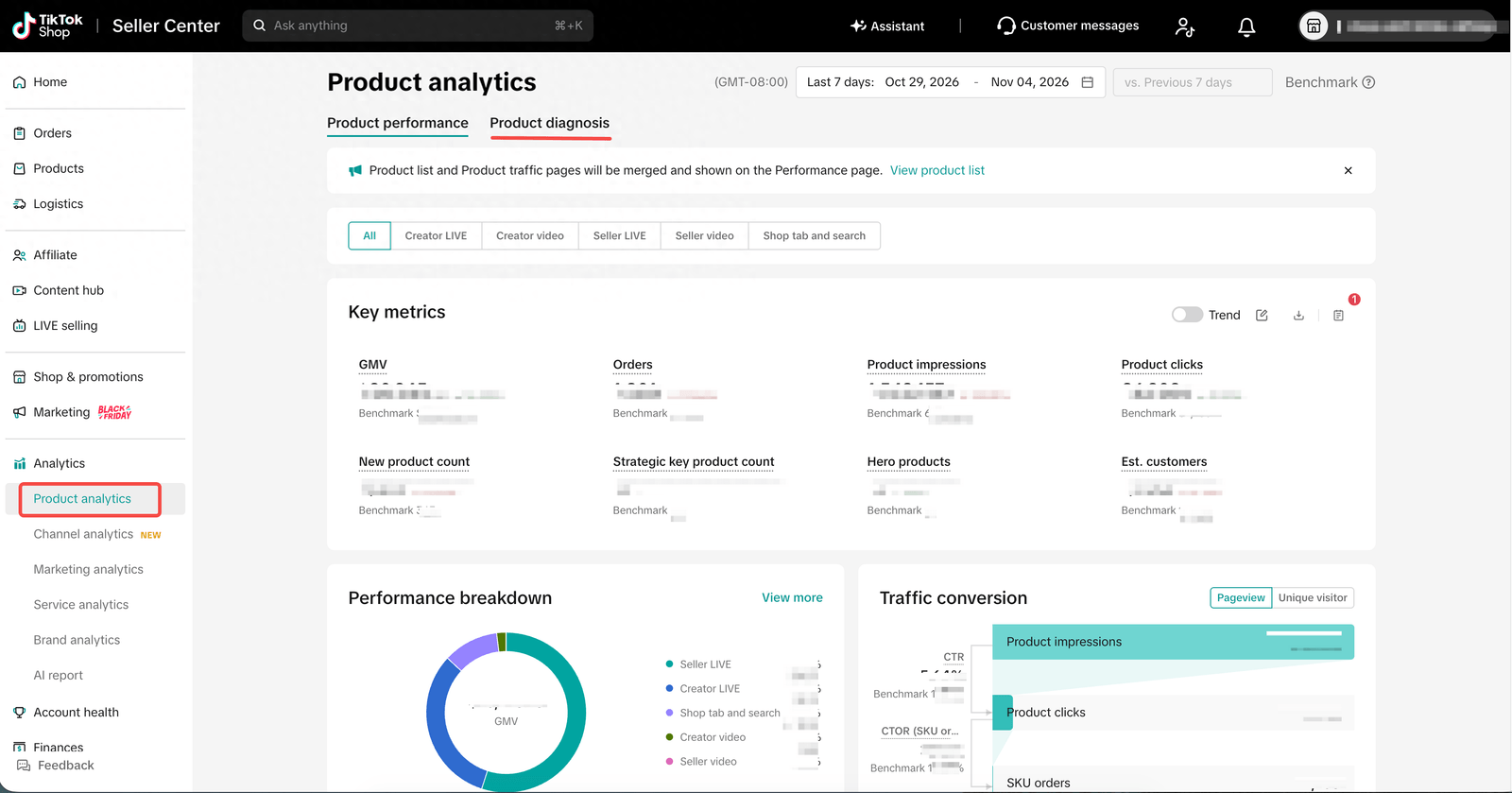
Sellers can select Diagnosis beside a product or search by product name or ID.
| Feature | What it does |
|---|---|
| Need attention | Flags products requiring investigation |
| Product diagnosis | Ranks factors that may explain GMV changes |
| Period comparison | Compares performance with the seller's previous period |
| Category benchmark | Compares performance with top products in the same category |
| Action links | Directs sellers to relevant management pages |
The default reporting window is seven days, compared with the previous seven-day period.
Product Diagnosis uses existing Product Analytics data. Its new value comes from how TikTok organizes, compares and ranks that information, rather than from introducing an entirely new sales-data source.
What are the 10 reasons behind a sales drop?
The number 10 refers to the maximum number of ranked factor cards displayed in the Summary. It is not a fixed checklist, and not every product will show 10 factors.
The cards fall into three categories:
| Category | What it identifies | What to check |
|---|---|---|
| Risk | Issues that may prevent normal sales | Listing status, inventory, policy violations |
| AA | Changes against the seller's previous period | GMV, traffic and sales-channel performance |
| AB | Gaps against the category benchmark | Visibility, conversion and competitive performance |
Risk comes first because these issues can directly affect a product's ability to sell. AA and AB provide additional context about whether performance has deteriorated over time or is falling behind comparable products.
A factor that qualifies as both AA and AB can appear once with both labels.
Where can the problems originate?
The diagnostic cards can point sellers toward four main areas.
Product listing and readiness
- Listing status and policy violations.
- Inventory availability.
- Product price and ratings.
- Eligibility and progress in the Strategic Key Product Pool (SKPP).
A product can lose sales because it is unavailable, restricted or priced less competitively. These problems do not necessarily have anything to do with advertising.
Creator and affiliate performance
For Creator LIVE and Creator Video, sellers can investigate:
- Number of active creators.
- Number of published videos and livestreams.
- GMV generated per video or livestream.
- Open collaboration rates against target rates.
- Availability of refundable and free samples.
For example, declining Creator Video GMV could mean fewer creators are publishing content, fewer videos are going live, or each video is generating less revenue. Each situation requires a different response.
Seller-generated content
For Seller LIVE and Seller Video, publishing frequency is an important starting point.
If the number of videos or livestreams falls, the problem may be reduced content output. If publishing remains stable while GMV declines, sellers should investigate product selection, pricing and inventory.
Shop Tab and Search
TikTok analyzes this area through a three-stage sales funnel:
Impressions → Product clicks → Orders
| Metric | What a decline may indicate |
|---|---|
| CTR | Weak product visibility, main image, title, price or ratings |
| CTOR | Problems with product details, inventory, delivery information or conversion |
| AOV | Changes in the product or variant mix customers purchase |
Lower impressions suggest a visibility problem. Lower conversion suggests shoppers see the product but are less likely to buy it.
Five sales channels show where GMV is falling
Product Diagnosis separates each product's GMV into five sales scenarios:
| Sales channel | Source |
|---|---|
| Creator LIVE | Creator livestreams |
| Creator Video | Creator videos |
| Seller LIVE | Seller livestreams |
| Seller Video | Seller videos |
| Shop Tab & Search | Shop Tab and search |
Sellers can examine the combined results or investigate each channel separately. TikTok ranks the channels according to their contribution to the overall GMV change.
This is particularly useful for affiliate-driven brands. A drop in total GMV may actually come from one creator, one content format or one traffic source rather than a problem with the product itself.
Why a product without a warning flag may still be losing sales
The Need attention flag requires two conditions:
- The product's real-time GMV change rate is negative.
- The offline diagnosis also classifies the product as Need attention.
Both must be met before the warning appears.
This means no warning does not necessarily mean no problem.
TikTok says offline diagnosis data can lag behind real-time figures elsewhere in Seller Center. The platform has not disclosed the exact delay.
A product may therefore show declining real-time GMV before the offline diagnosis confirms the issue.
There is another limitation: the category benchmark is defined by TikTok. Sellers cannot customize the comparison group, and the platform does not disclose exactly how it selects top-performing products.
The benchmark provides useful context, but it may not perfectly reflect a seller's product positioning, price range or business model.
What Shopify sellers should do with the findings
For stores connected through the official TikTok for Shopify app, Product Diagnosis may identify an issue in Seller Center while Shopify remains the main place to manage synced product data.
According to TikTok's Shop Management guide, three synchronization settings are enabled by default:
| Setting | Default |
|---|---|
| Product information | On |
| Inventory | On |
| Price | On |
When synchronization is active, sellers should make changes to product information, prices and inventory in Shopify. The changes are then synchronized with TikTok Shop.
If your product is synced, Shopify remains the primary place to manage its data.
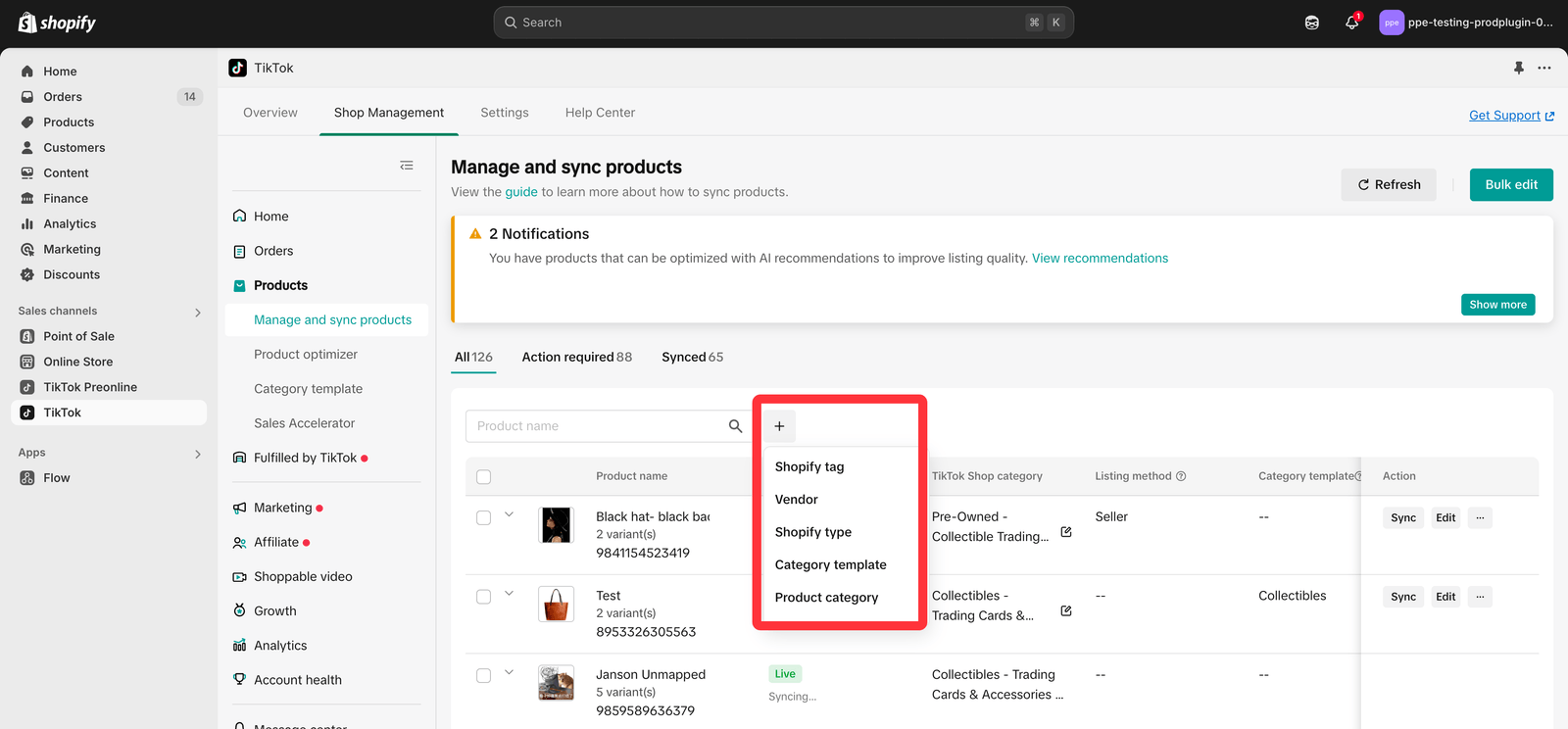
There is an exception. TikTok's official FAQ explains how sellers can temporarily disable price or inventory synchronization for an individual product, edit it in Seller Center and synchronize the updated information afterward.
Before Black Friday: A practical checklist
Black Friday falls on November 27, 2026. US sellers can use Product Diagnosis to prioritize the products that contribute the most GMV.
- Check top-performing products manually. Do not wait for a Need attention flag. Review the latest seven-day period against the previous one.
- Resolve Risk cards first. Check listing status, inventory and policy violations.
- Identify the channel behind the decline. Review creator activity, content output or the Shop Tab and Search funnel.
- Verify the diagnosis against actual metrics. Treat factor cards and AI assistant suggestions as investigation prompts, not final conclusions.
- Make changes in the right system. If synchronization is active, update product information, price and inventory in Shopify.
Product Diagnosis cannot guarantee that sellers will recover lost sales. Its value is making the investigation more focused: identify the affected channel, narrow down the possible causes and take action in the right place.
The goal is not simply to know that sales are falling. It is to understand why before the decline becomes harder to reverse.
Ask AI next
- How do I improve a TikTok Shop product's click-through rate in Shop Tab and Search?
- How do I get more TikTok creators to post videos for a product when its Creator Video GMV falls?
- How does a product qualify for TikTok Shop's Strategic Key Product Pool (SKPP), and what does it get?
- Which tools can alert me when a TikTok Shop product's daily GMV drops, before the Need attention flag appears?
- Can sellers outside the US use TikTok Shop's Product Diagnosis yet?